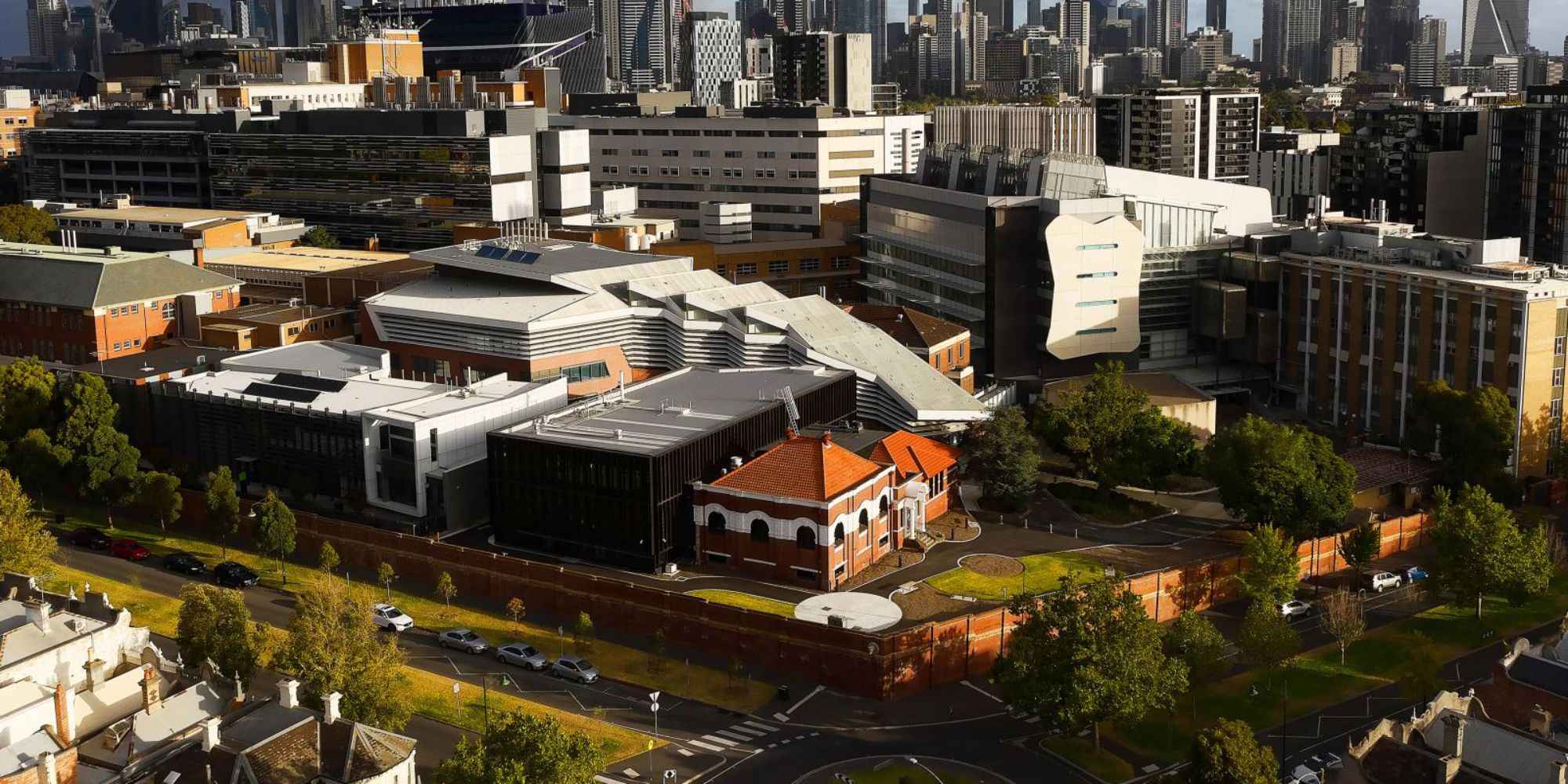
A Facilities Manager (Western Precinct Lead from Campus Management) supervises aspects of our building infrastructure and services. The manager is located on the ground floor, south of the Penington Building.
Security
Key access points in the Bio21 Institute are monitored by security cameras and security personnel regularly patrol the Institute.
Location
Security personnel are located in the Institute 24 hours a day, 7 days per week. The Security Office is located in Room G45, Ground Floor North, in the Atrium opposite the NMR cave viewing area.
For assistance
If you require assistance, please contact the Institute's security office on ext 42480 or 42481, or the University's 24-hour, 7-day-per-week security station on ext 46666.
Working late
If you are working late and would like an officer to escort you to your car, please contact security to arrange a convenient time. Also refer to procedures for after-hours work in the Institute.
First Aid
All security personnel are trained in first aid procedures, should a suitably trained person not be at hand in your area.
Maintenance requests
Bio21 members need to log facility maintenance requests or building issues via ServiceNow, as is the process for other university departments and campuses. All requests for building maintenance will be brought to the attention of the Western Precinct Lead for action, or go direct to the relevant contractor for attention and action.
Issues that can be reported to Facilities, Infrastructure and Campus Management include problems within buildings such as electrical, air-conditioning, heating, carpentry, and plumbing. This also includes grounds issues, cleaning services, minor work projects, graffiti, and vandalism as well as issues with furniture in communal areas (such as meeting rooms, auditorium or atrium). There is some degree of response on centrally managed laboratory equipment/services (including fume cupboards and RO water)
Locally sourced and managed laboratory equipment is not covered by these services, as they rely on specialised technical responses by individual contractors and must be sourced and paid for by local areas.
The process for Facilities, Infrastructure and Maintenance requests is as follows:
- Access the Facilities ServiceNow Request form.
- Complete all details including
a. Facilities Area
b. Impacted Service
c. Describe the issue that needs addressing. If the issue is in a laboratory or restricted area, or there are specific PPE or safety requirements you wish for any contractor to adhere to while onsite (e.g. please contact XYZ before entering the laboratory), please advise in this description box. Similarly, if there is a past history of work on the same issue, be sure to mention this in the description, including any previous Service Tickets raised and their outcome.
d. Location details of the impacted service
e. Any attachments (you can include photographs or other forms of evidence to assist with your request). - Submit the form by pressing the button at the bottom. This will be sent to the Service Centre for a new Ticket to be raised on your behalf.
- When a new ticket has been raised, you will receive an automated confirmation email from University Services (uni-services@unimelb.edu.au) which contains details of your request including the ticket number (which will be in the format FCR0000000).
- In order for the ticket to be followed up appropriately by the Western Precinct Facilities Officer, please ensure you forward your confirmation email to the Bio21 Facilities Inbox.
- If you feel that the matter requires urgent attention, please contact Bio21 Facilities Inbox immediately to escalate and reach out to assigned contractors for the Service Ticket.
Cleaning
The Institute is cleaned after hours for the following workday by external contractors. This includes toilets, emptying of general waste bins and recycling bins within offices and floors.
Any cleaning issues or requests should be entered via ServiceNow.
Electrical powerpoints
Electrical powerpoints are colour-coded according to their use as follows:
- White and grey points are for normal-use items such as computers and photocopiers.
- Red points are for appliances that need to be connected to emergency generators such as fridges and freezers.
- Blue points are for the cleaner's use.
Three-phase power outlets are located in the Atrium, Ground Floor South (outside the doors to the lab and office area) and Ground Floor North (inside doors leading to the Stores and to the left).
All electrical appliances must be tested and tagged. This includes all personal electrical items and external appliances, power boards and urns, etc. For more information, see Section 11.7 of Managing Operational Risk in the University's EHS Manual. Queries can be directed to the Institute's Technical Compliance Officer.
Lighting
Lights in laboratories switch off in two stages. The first row of lights will go off at 8pm and the second at 8.10pm. If there are people still in the lab when the lights go off, simply reset for a further two hours. Lights in fume cupboard areas will switch off at 10pm. Lights in offices and hallways will switch off at 8pm. Again, simply reset for a further two hours when the first set of lights switches off. See the Institute Lighting Scheme for more details.
Light switches throughout the building are a spring-loaded mechanism. They do not stay in the on or off position as per normal household switches. They are to be "flicked" on or off (the switch returns to the upright position).
Security will provide escorts to vehicles in the above-ground carpark if requested.
Air conditioning
The Institute is in a controlled air-conditioned facility. Some offices have an electronic air conditioning controller, which enables the occupant to change the temperature in the office. Air conditioning to office areas ceases at 5.30pm and recommences at 7.30 am. Enquiries regarding the air conditioning system should be directed to the Facilities Manager, who will assist with your query or liaise with the appropriate service people.
Lifts
There are three passenger lifts located in the centre of the complex in the Atrium, accessing the basement to level 5. A passenger lift is also located on the western side of the building, opposite reception, accessing the Mezzanine to the Basement. A goods lift is located on the eastern side of the north building, accessing the basement and all levels.
To access lifts from the basement/carpark, you will need to swipe your access card over the reader.
Doors
Doors with access card readers throughout the building may be alarmed. Please check with Security before leaving doors ajar or wedged open in order to avoid unnecessary triggering of alarms.
Emergency stairs
Commuting between floors in the building is by passenger lifts and stairwells. Emergency stairs are indicated on evacuation plans located on each floor. Emergency stairs should be kept clear and their doors closed for use in an emergency.
Removal of items or equipment from the Institute
The University's security personnel have instructions to check anyone seen removing items from the Institute or campus.
If it is absolutely essential that University/Institute equipment be taken off campus for any reason, the request must firstly be made with the Institute Operations Manager, who will issue an authorisation and secondly, where required, arrange insurance coverage for the item/equipment.