Using QR codes safely
QR codes make it easy to access information quickly, but that convenience also creates opportunities for scammers. With quishing (a form of phishing that uses QR codes) on the rise, it’s important to know how to spot suspicious codes, protect your personal information, and report anything unusual on campus.
Why QR codes?
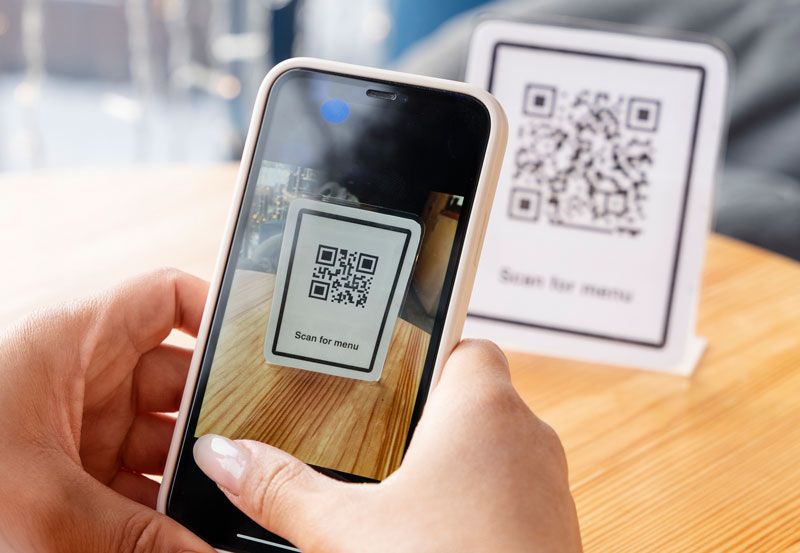
You likely know what a QR code is, but why are they so popular? QR codes are like a super-charged barcode, designed to be scanned quickly and easily by smart phones to link you directly to a webpage, to open or install an app, or to connect to a Wi-Fi network. In short, they’re reliable, quick, easy, and convenient.
The dark side of QR codes
The superpower of a QR code however is also what makes them such a potential risk. By linking you directly to where you need to be, they make it difficult for you to check their legitimacy before diving in.
Scammers can take advantage of this through a type of phishing called quishing – and unfortunately it’s becoming more common. They may create fake posters or merch, or they might just print a bunch of dodgy QR codes to stick them over genuine ones in hopes of stealing your credentials, installing malicious software on your phone, or even tracking your location.
Using QR codes safely
But don’t fear! You can continue to use QR codes safely by just following these three simple tips:
- Check it physically: does the QR code look tampered with or is located somewhere you wouldn’t expect to see one?
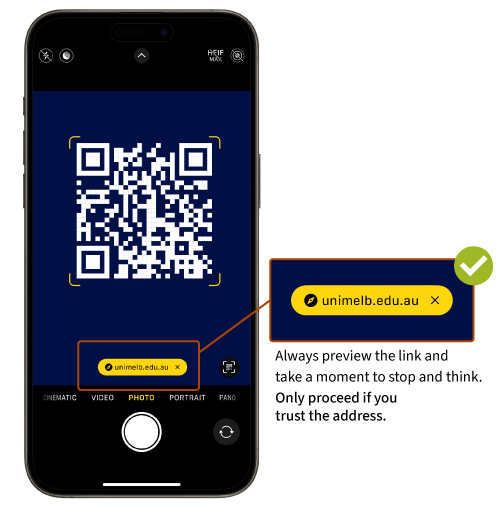
- Check it digitally: use your phone’s native camera app to scan the QR code as it gives you a preview of where it leads (see the image below). If it doesn’t look right, or if like it’s sending you somewhere unexpected you should probably give it a miss.
- Question where it took you: does it make sense? If it was a poster inviting you to take part in a study on campus, why is it asking you to put in credit card details or install an app?
Remember these QR phishing attempts often follow the same common scam red flags, like pressuring you into acting urgently, for offers that are too good to be true, asking for sensitive information or asking for payment unexpectedly.
Take a moment to ask yourself, “is it really worth scanning this QR code and giving this company my personal details just for a free drink?”
Reporting suspicious QR codes
If you do spot a dodgy QR code somewhere on campus, you can do your part in helping to keep everyone safe by reporting it to campus security by calling call +61 3 8344 6666 (24 hours, 7 days a week) or via SafeZone app if you are on campus.
Students can also reach out to Stop1 , and staff to the Service Centre (SSO required) to help verify the authenticity of University communications.