Virtual tours as learning experiences
A virtual tour is an interactive, web‑based representation of a physical space, typically assembled from 360° photographs, still images, short videos and annotated hotspots, that allow students to navigate and explore a site remotely.
Virtual tours can be beneficial for student learning since not all locations can be visited when learning needs demand it. Logistical constraints (timetables, travel cost, large cohorts), restricted access (labs, archives, conservation areas), and conditions tied to time or climate (seasonal exhibitions, time-sensitive fieldwork) all put limitations on students being able to visit locations in person. Virtual tours offer an alternative with specific learning affordances: they not only allow students to access a location virtually, but can also allow staff to create a more curated learning experience and to make places, collections and processes accessible on learners’ terms, asynchronously, and at scale.
Virtual tours can be embedded directly in your LMS site using tools such as H5P and integrated into scaffolded learning activities, allowing students to explore, rehearse and reflect without the constraints or aforementioned barriers. The real power of virtual tours lies not in what they show, but in how they can teach.
From a learning and teaching perspective, a well-designed virtual tour should guide the learner through a purposeful, scaffolded experience. This is where learning design makes the difference. Instead of merely embedding hotspots or labels on rooms and artefacts, instructors can use these features to pose questions, challenge assumptions, and encourage reflection. A tour becomes a 'learning journey' when it actively engages the student in thinking, analysing, and making connections.
How to design a virtual tour in the LMS
- Begin by clarifying the purpose and learning objectives. Decide what learners should know, do or value after the tour, as these objectives will determine the level of detail, assessment strategy and types of interactivity required. Now ask yourself: “Is a virtual tour an effective way to meet the learning objectives?”
- Scope the site by mapping a route and identifying focal points aligned with your objectives. Decide what to include, what to prioritise and where to add interactive elements such as questions or reflection prompts. Capture media thoughtfully: prioritise 360° photos for immersion, supplement with stills for fine detail, short videos for processes or commentary, and audio for narration.
- Design interactivity and assessment by embedding short formative quizzes, reflection prompts, decision points or branching pathways to convert viewing into active learning, and consider authentic tasks (for example, curating a section or making a diagnostic decision) as formative assessment.
- Finally, build a prototype, pilot it with a small group, collect feedback and iterate to refine navigation, content density and accessibility.
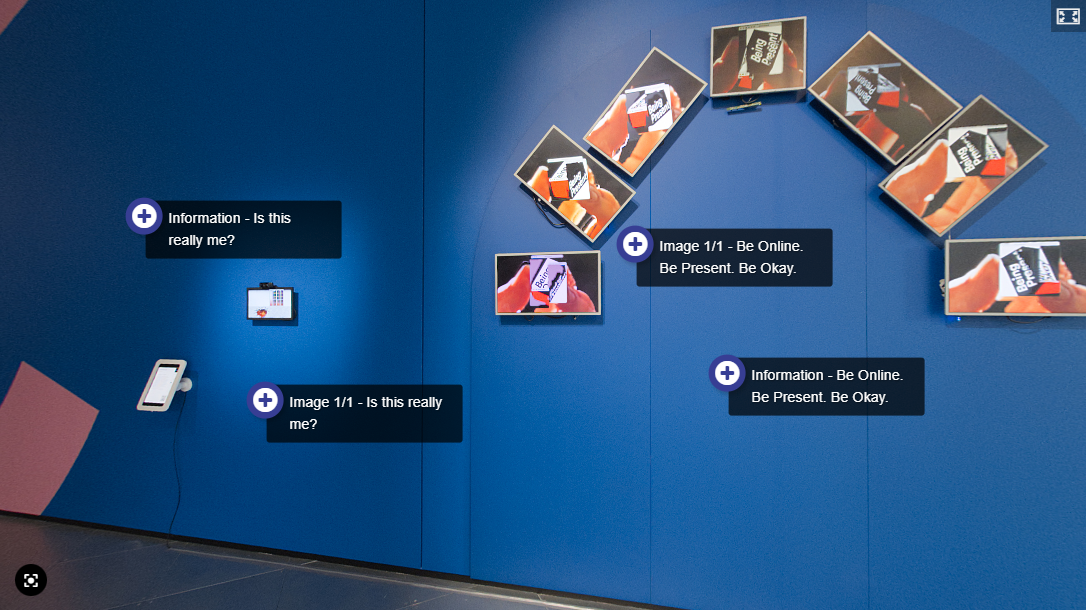
Working closely with the Video & Media team, we are finalising a virtual tour of the Distraction exhibition at Science Gallery to allow multiple subjects to use and adapt it for their curricula. Because many subjects use the Gallery in their teaching, the tour emphasises accurate, neutral interpretation - location and exhibit details - rather than discipline-specific arguments. Academics can then use the tour in their subject content and scaffold discipline-specific tasks.
You can view the tour by enrolling into the Museums and Collections: Academic Engagement Resources LMS site and selecting the Distraction exhibition, in the Science Gallery section.
Well-designed virtual tours are more than walkthroughs; they are scaffolded learning journeys that extend access, encourage inquiry and support authentic assessment. With clear objectives, careful scoping, thoughtful media capture and interactivity, a tour can transform a space into a reusable teaching resource. Book a consultation with Teaching and Learning Innovation to help you plan, build and embed tours that teach - not just show.
Resources