Social annotation activities: A comparison between Perusall and FeedbackFruits
There has been a large uptake in recent years in the use of social annotation tools such as Perusall and FeedbackFruits. When used effectively, these tools can provide rich learning opportunities for students. But which tool is right for your particular learning and teaching context? While some have argued that Perusall is better suited to larger cohorts given its ability to use Artificial Intelligence to grade student submissions, there may be good reasons to consider FeedbackFruits as an alternative. In this article we’ll discuss the benefits of incorporating social annotation activities into a subject, and consider what each tool has to offer.
But let's start with the first important question…
What is a social annotation tool?
A social annotation tool allows students to collaboratively engage with digital content by adding comments, highlights and discussions. One popular form of digital content used in social annotation activities is academic literature.

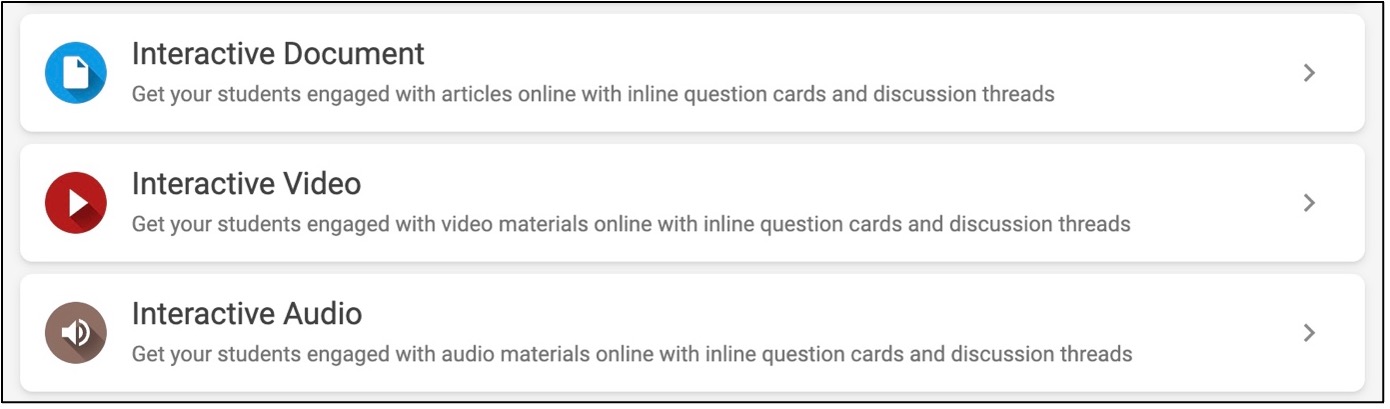
But digital content is not restricted to written text – it may include graphics and videos, which FeedbackFruits and Perusall both support.
Why use social annotation tools for learning?
By critically engaging with content students can develop a range of academic skills, such as the ability to critically question the validity of arguments, make connections with other resources they have engaged with and their life experience, and ask thought-provoking questions. When these types of activities are brought into the social realm, in a space where students can also engage with their peers, these learning opportunities are further enhanced, allowing students to gain new insights, learn from the experiences of their peers, or think in new ways that they otherwise may not do on their own. As Vygotsky says
By giving our students practice in talking with others, we give them frames for thinking on their own
Lev S. Vygotsky, Mind in Society: The Development of Higher Psychological Processes
Both FeedbackFruits and Perusall conveniently centre student discussion around a resource, and provide mechanisms for critical engagement, and effective assessment of that engagement. However, there are differences in the look and feel of each tool, the features it has to offer, and most significantly, how grading and feedback is conducted. It is important to be aware of these differences to make an informed decision as to which tool to use.
In a nutshell…
| What is possible? | Perusall | FeedbackFruits |
|---|---|---|
| Types of content that can be uploaded | ||
| Annotate documents | Yes | Yes |
| Annotate videos | Yes | Yes |
| Annotate audio | Yes | Yes |
| Grading and feedback options | ||
| Grade student contributions automatically (using an AI algorithm) | Yes | No |
| Select best comments for personalised feedback | No | Yes |
| Peer review tools | No | Yes (but as a separate tool that operates outside tools like interactive documents – requires careful consideration for optimal configuration)** |
| Types of content that can be embedded into annotations | ||
| Images | Yes (but cannot be downloaded or zoomed in) | Yes (Readers can download and use zoom tools) |
| Video | Yes (by uploading a URL to that video only) | Yes (by using webcam or screencast, or uploading a video file as an attachment) |
| Audio | No (but it does have an audio to text feature) | Yes (by using users microphone) |
| Other features | ||
| Embed quiz questions into a resource (e.g MCQs, short answer question prompts) | No* | Yes |
| Access publisher texts found in a searchable database. | Yes*** | No*** |
* Perusall has a quiz feature, but this cannot be embedded and viewed within the resource.
** There are several approaches to having students review their peers comments using the tools available in FeedbackFruits. If interested, please reach out to Learning Environments.
** All readings in a subject should first be uploaded to Readings Online for copyright clearance. If using Perusall or Feedback Fruits, make sure this is done first. See copyright guidelines for using published materials in LMS activities for further information.
Although these tools share many features, one of the key differences that separates them is how student contributions are graded.
Grading and feedback in Perusall
In Perusall every student comment is given a score by the system that is either ‘below expectations’, ‘meets expectations’, or ‘exceeds expectations’. Perusall is able to determine this by using a machine learning algorithm that uses linguistic features of the text to create a predictive model for the score. You can decide how many points each of these categories should be worth.
It is important to note, however, that even though Perusall assists with providing grades, it is still the responsibility of teaching staff to review comments before they are released. The points generated by Perusall’s AI system is only suggestive and by default, will not be shown to students until they are ready to be released and approved. A thorough review of grades before they are released furthermore complies with the University’s Assessment and Results Policy and puts teaching staff in a better position to be able to justify the mark in a situation where a student may question it.
Steps involved in a Perusall assignment (example)
By using Perusall the sequence of steps in a social annotation activity may look like this:
- The students read an article in Perusall
- Students critically engage with the text by adding to the discussion contained in the document before a due date.
- Teaching staff check the Perusall grades and review student comments alongside these grades
- Teaching staff review and make any amendments to the grades generated by Perusall.
- Grades are released to students.
What’s also possible using Perusall?
It is possible to bring a range of content types into Perusall including books from a Perusall catalog, web pages, videos and podcasts, which all provide the same social annotation tools for students to mark up and annotate. It also now features a Quiz tool – however, this is a standalone feature that cannot be embedded into a resource (i.e. you cannot embed quiz questions into a reading or video). Rather than use Quizzes in Perusall, we would strongly recommend using Canvas Quizzes within your LMS for easier student navigation and Canvas support. If you are looking for greater integration of quiz questions into the resource, then consider FeedbackFruits.

Grading and feedback in FeedbackFruits
FeedbackFruits is most known for its peer-review capabilities and how it offers a suite of features for students to give and receive feedback and to work collaboratively within and amongst groups. It is also highly configurable. For example, students can provide feedback to members within or among groups, personal reflection tasks can precede or follow on from a peer review activity, due dates can be set for different stages of a task and there is the ability to modify the range of marks provided for each step.
It is also possible to set up multiple types of FeedbackFruits activities within a subject. For example, students could be divided into groups for a social annotation activity using the Interactive document tool for one assignment, then a peer review activity could be set up for another assignment. The benefit here is that students would be using the same platform for multiple assessments.
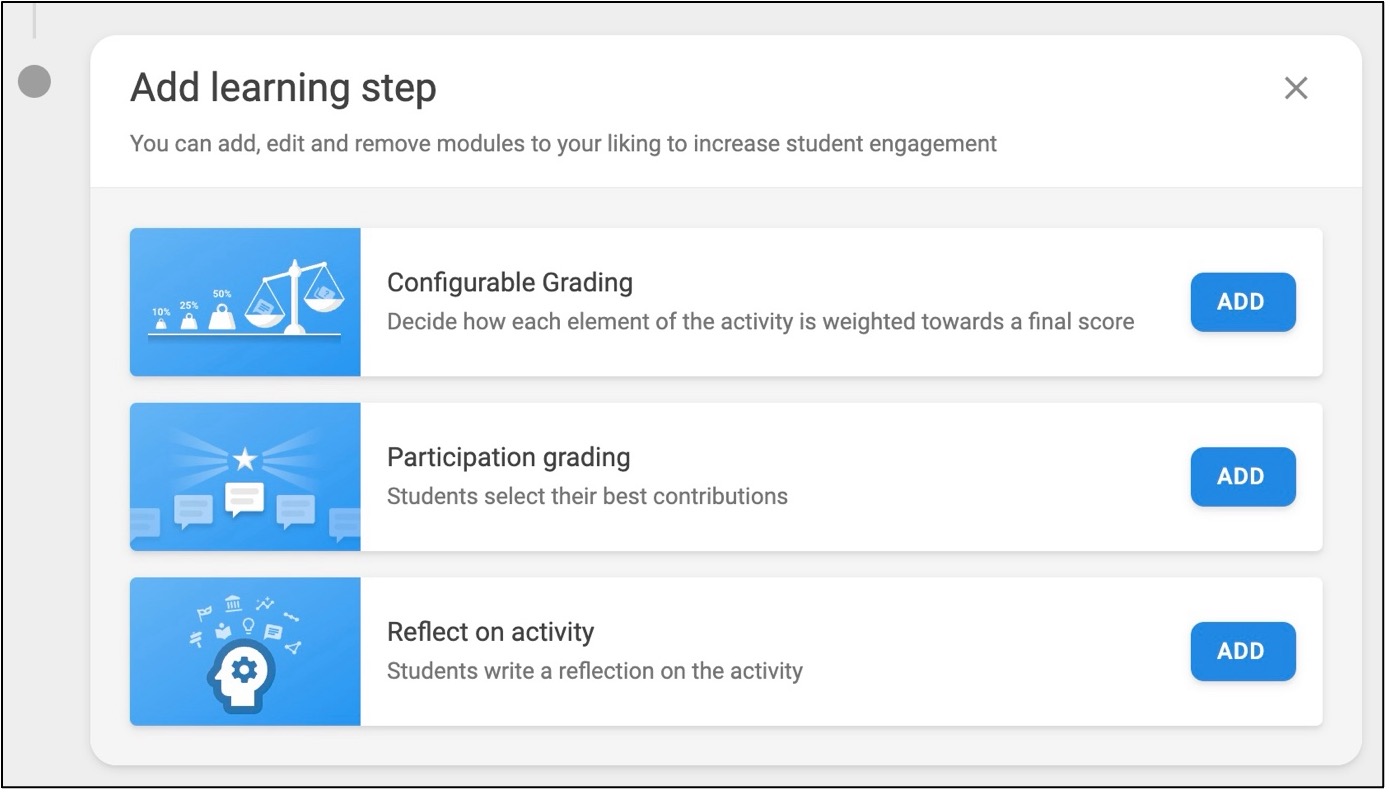
Although FeedbackFruits does not offer the same auto-marking features as Perusall, there is a new feature that allows students to select their best comments for teacher review that can then be marked by a scale. This may be more suitable for some types of formative or summative assessment activities.
What’s also possible using FeedbackFruits?
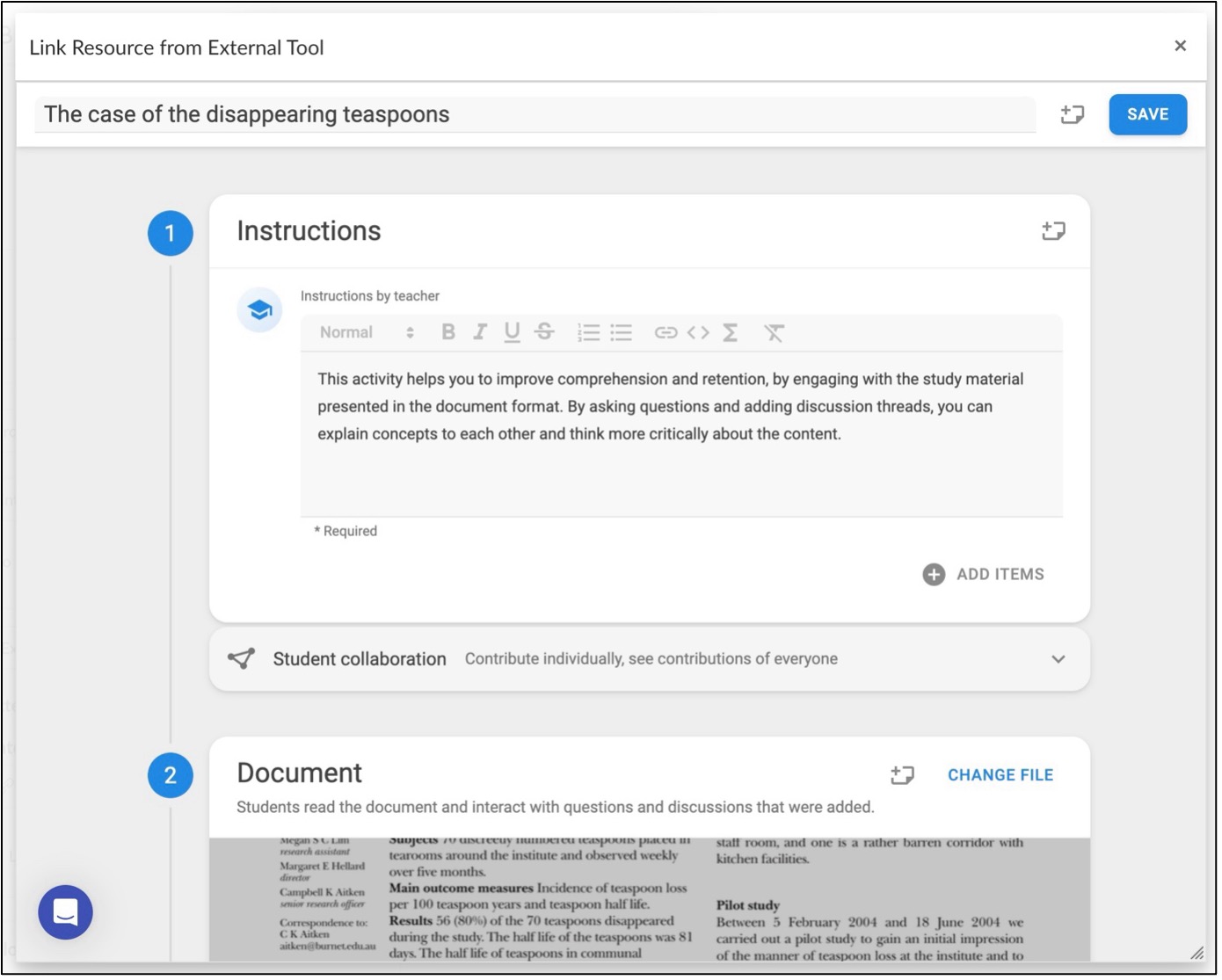
We’ve seen how students have the ability to place a comment or respond to a comment within a resource, but teaching staff can now add ‘Question cards’ that prompt students at specific points within the resource to respond to multiple choice questions or short-answer questions. When using short-answer questions, teaching staff can also provide a model response, which students then refer to in order to self-report on how close they think their answer was to the model response.
If using the Interactive Video or Interactive Audio tool, students can watch a video or listen to a podcast that will pause at specific points where they will be prompted to respond to questions or add to a discussion thread.

Steps involved in a FeedbackFruits assignment (just one example)
Here is just one example of how students could work their way through a FeedbackFruits assignment that utilises several features now available:
- Students read an article in FeedbackFruits
- Students critically engage with the text by adding to the discussion contained in the document before a due date.
- Students also respond to a series of multiple-choice questions and short answer questions placed in various parts of the document.
- Students reflect on the outcomes of the activity in their learning.
- Students select two of their best contributions (comments or replies)
- The teaching staff then grade the selected contributions using a scale of 1-10 based on a rubric they have provided to students.
- Grades are released to students.
Keep in mind, this is just one of many ways FeedbackFruits can be used for a social annotation activity!
Additional help
If you would like to learn more about FeedbackFruits, check out our online guides and resources on FeedbackFruits.
If you would like to learn more about Perusall, check out our online guides and resources on Perusall.
For assistance with setting up a social annotation activity or deciding which tool best suits your purpose, please lodge a support request with Learning Environments.