Designing a simple and effective LMS site
The LMS is crucial in education and the student experience, guiding students from subject start to final grades. To be most effective, the LMS presence for a subject should be user-friendly, with clear information on subject structure, deadlines, and support. There is always a lot of information to provide via the LMS, and it is worth reflecting on how we can avoid overloading students or making things more complicated than they need to be. Turning to design principles can improve the student experience.
And this is when things get fun! We get to be creative! Let’s consider an example.
Take Joe and Rebecca, who assist a subject coordinator in the LMS design for a subject with various assessments and resources. Reviewing the subject, they realise the student experience is overwhelming. It would be better if an interactive element could be added to each page and each page had a similar structure. They use color-coded backgrounds to emphasis different types of content and icons to highlight different types of information.
Despite these improvements, Joe and Rebecca still find the content volume daunting. To address this, they consider compacting the material into clickable H5Ps with a consistent menu, reducing the need for scrolling.
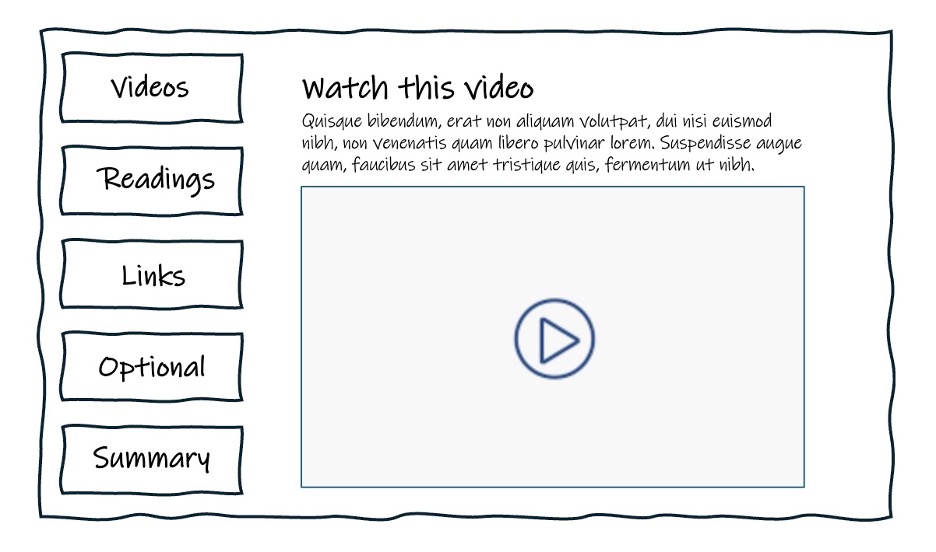
All looks well and wonderful, until the subject team begin to face a number of issues.
Problem 1: Under-scoping development time
Joe and Rebecca's efforts to enhance the LMS with interactive elements resulted in an attractive design but consumed significant time. Applying the style across 12 weeks of content took longer than anticipated, leading to late nights and early mornings spent building pages throughout the semester. Despite satisfaction with the outcome, they recognised the need for better planning and scoping for such extensive redesigns.
Lesson learnt: Scope first! And scope well! Then design!
Tip: Joe and Rebecca could have built one page and timed the time it took to complete. If they find it unrealistic or overly time consuming, then they could consider the things they could strip back.
Problem 2: Things begin to break!
As the subject progressed, Joe and Rebecca faced the need for frequent updates to the LMS, such as updating readings, fixing broken links, correcting errors, and adding new content. In the past these tasks were straightforward, but with the new design, even minor edits became complex, requiring HTML knowledge they barely possessed. Simple changes risked breaking the page, highlighting the challenges of their intricate design.
Lesson learnt: Make sure you’re able to fix what you make!
Tip: Where there are interactives, test the amount of time it takes to make changes and consider this as part of your design. If it feels overwhelming, then consider a simpler approach.
When building a page in the LMS remember to click ‘save’ frequently. You can also restore a previous version of a page in case you make a mistake.
Problem 3: A lack of accessibility
Joe and Rebecca's LMS design faced further issues when some students reported difficulties accessing content within the interactive elements. For example, toggling between tabs to view videos on one tab and other materials like readings and text on another tab, wasn't functioning properly for some users.
Lesson learnt: Think accessibility first!
Tip: Make sure your design is accessible. Check. Can it be read by a screen reader? You may find it helpful to refer to the web accessibility guides as you design in the LMS.
Problem 4: New hands take over
Problems compounded when Joe and Rebecca left the university, the complex LMS maintenance fell to others who lacked the necessary skills and time. Simple content updates often resulted in broken pages, highlighting the challenges of managing the intricate LMS design they left behind.
Lesson learnt: Make sure others are also able to fix what you make, in case you’re not there!
Tip: Consider LMS site maintenance for someone without your expertise. It is helpful to add to your LMS site resources such as an unpublished module with maintenance instructions and links to existing support materials. Ensure to grant editing access to other staff for collaborative tools like H5P or Padlet.
Keep it simple stupid (KISS)!
Apply the KISS (Keep It Simple, Stupid) principle to LMS design, avoiding unnecessary complexity. Joe and Rebecca's example demonstrates an attempt to streamline content with stylish interactives inadvertently complicated the LMS.
Consider the truth behind these proverbs on simplicity the next time you make design decisions in the LMS:
The ability to simplify means to eliminate the unnecessary so that the necessary may speak. Hans Hoffman
Resources
- Downloadable LMS page templates for simple well designed editable LMS pages
- LMS subject design
- Framework for building or improving an LMS site
- Checklist: Launching your LMS subject
- H5P
- Ten tips: Creating accessible subjects in the LMS
- Simple swaps to improve the LMS accessibility for your subject
- Universal design for learning (UDL)
- Web accessibility guides for academics
Request support
To received help with designing your LMS site please lodge a support request with Learning Environments