Fake CAPTCHA scam installs malware
Fake CAPTCHA scams continue to be a threat, tricking people into installing harmful software that steals information as they try to prove they are a human.
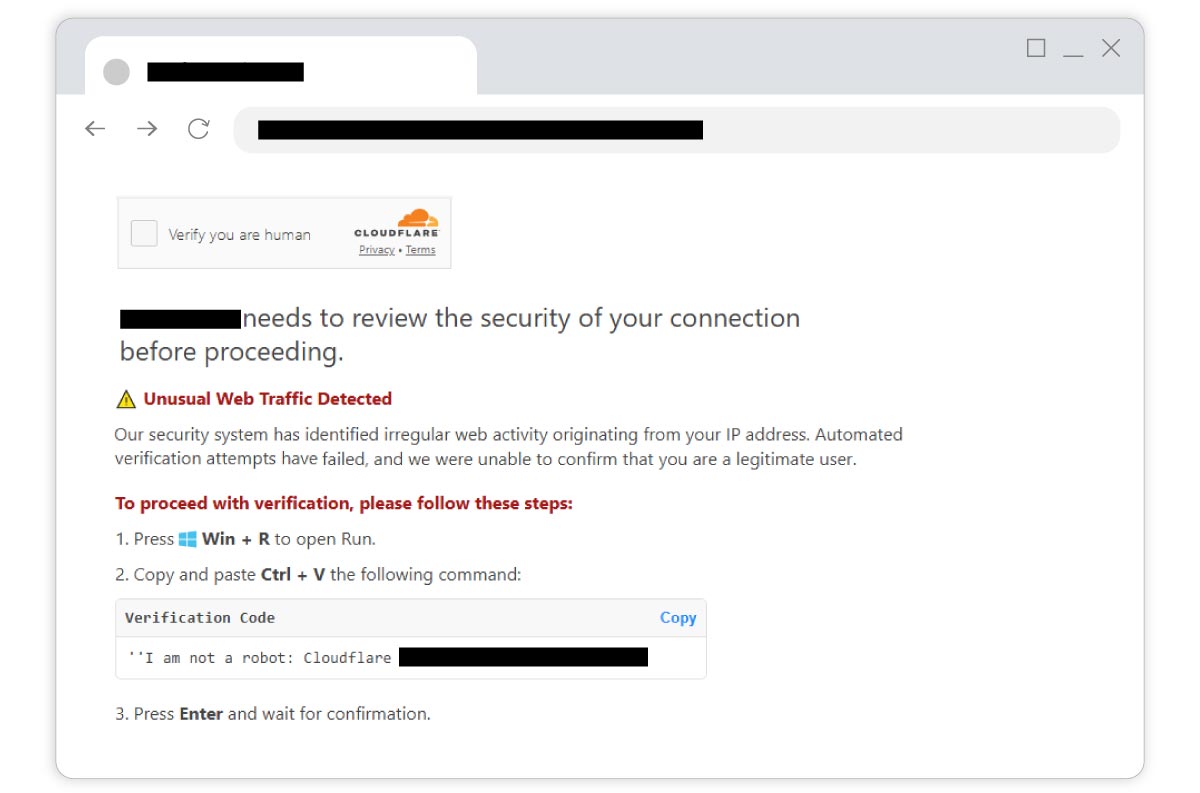
CAPTCHAs are simple security checks that ask us to prove we’re human, and not a bot looking to overload a website. The most common versions ask us to tick box saying “I’m not a robot”, select a series of images, or type some distorted text. They’re mostly a single task and never ask you to complete any additional actions like cutting and pasting text.
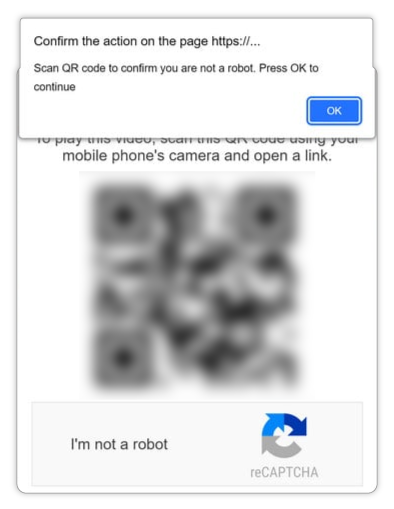
Fake CAPTCHAs mimic the real ones but also ask you to run a command or scan a QR code that installs malicious software and begins stealing your information.
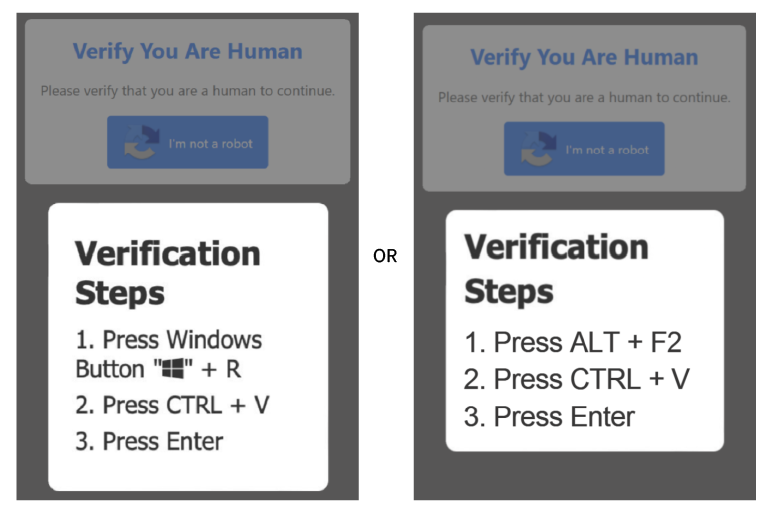
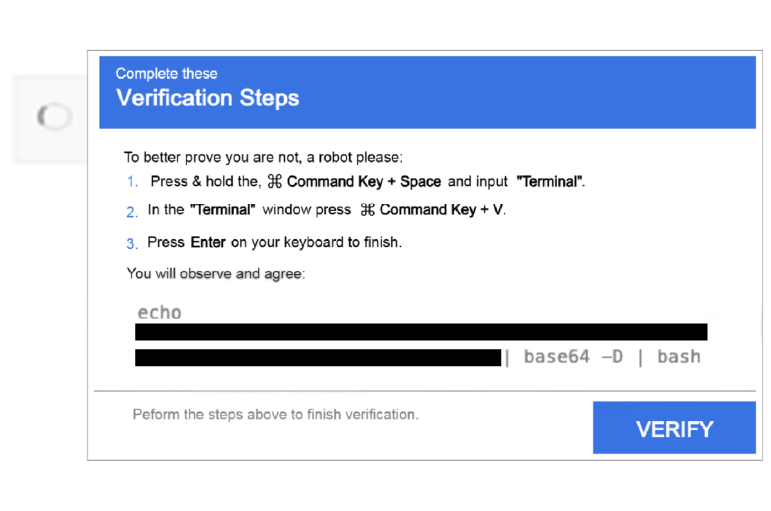
They ask you to copy some text and then past it after following these steps:
| Windows PC | Mac | QR Code |
|---|---|---|
| 
| 
|
| Windows key + R or ALT + F2 | Command Key + Space and typing “Terminal” | Scan the code and follow instructions on your phone |
Click images to enlarge
How to stay safe
- As always, check the website address to make sure you’re on the real website before clicking anything
- Don’t follow any additional steps! Real CAPTCHAs never ask you to copy and run commands to prove you’re human
- Ignore any extra pop-up messages. If a CAPTCHA asks for more than a click or image selection, it’s suspicious.
If you’ve run a command like this while completing a CAPTCHA, your device may be at risk. Update all saved passwords and contact Cybersecurity immediately for advice.