USB or not to be?
Juice jacking uses public USB ports to steal data or install malware on your device. Learn how to charge safely.

You arrive at your airport gate, excited for an adventure, when you look at your phone and your heart sinks. Your battery is down to 10%! You spot a free USB charging port and plug in. Phew! You’ll have enough juice now to make it through the flight.
But what if that port wasn’t just charging your phone? What if that USB port had been tampered with to secretly install malware and steal your personal data?
This is a very real risk, known as Juice Jacking and it can happen without you clicking anything. Just plugging in can be enough to expose your phone or other device to risk.
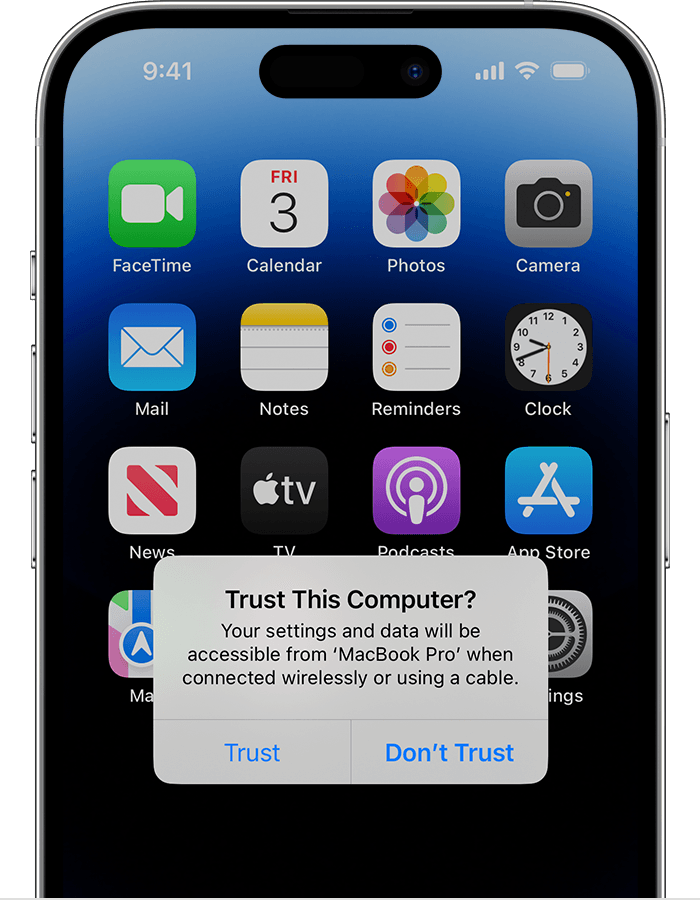 This type of cyber threat has been spotted in airports, hotels, and shopping centres. And while may be rare, it’s also invisible. You won’t see it happening, but your device might give you a clue.
If you plug into a public port and get a pop-up asking you to “share data” or “trust this device”, that’s your cue to unplug immediately.
How to stay safe
- Always use your own charger and cable, especially in public
- Carry a portable power bank and consider using low power mode to stretch your battery life while out and about
- Invest in a data blocking charging cable that only lets power flow through
- Wireless charging is also a safer alternative if it’s available
Staying cyber safe doesn’t mean being paranoid – it’s about being prepared.
For more ways to protect your devices and data, visit our Tips for staying cyber safe page.